Skip to content
Home
Services
Global Delivery
Auto Fulfillment
Brand Custom
Product Sourcing
Trending Products
Products
About Us
Blog
Home
Services
Global Delivery
Auto Fulfillment
Brand Custom
Product Sourcing
Trending Products
Products
About Us
Blog
Login
Sign Up
Bind Your Shopify Store to Speed Dropshipping
Follow these 4 simple steps to connect your store in just a few minutes.
STEP1
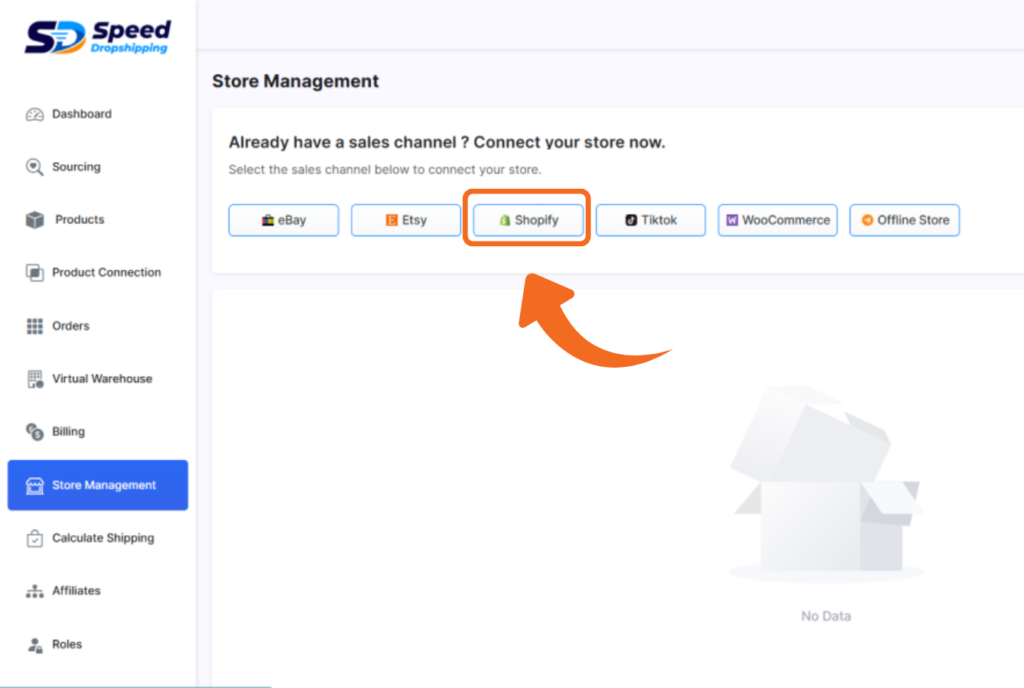
Open the Store Management page
Go to Store Management in your dashboard.
Click "Shopify" to be redirected to the Shopify App Store.
You'll be redirected to the Shopify App Store.
STEP2
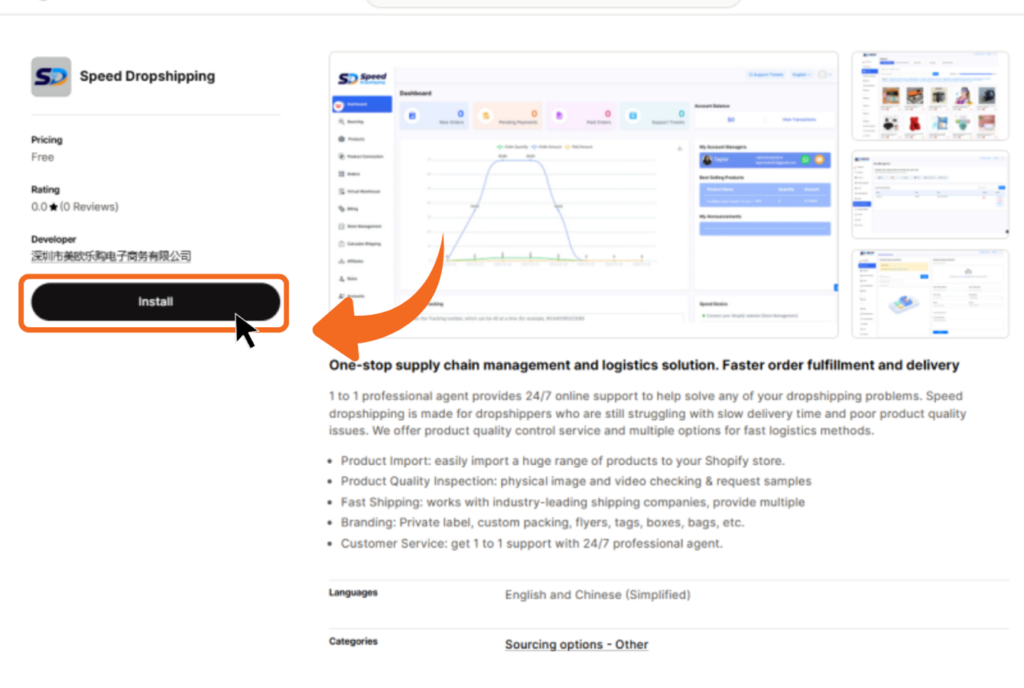
Install Speed Dropshipping on Shopify
You will automatically land on the Speed Dropshipping app page in the Shopify App Store.
Click “Install.”
Make sure you're logged in to your Shopify account.
STEP3
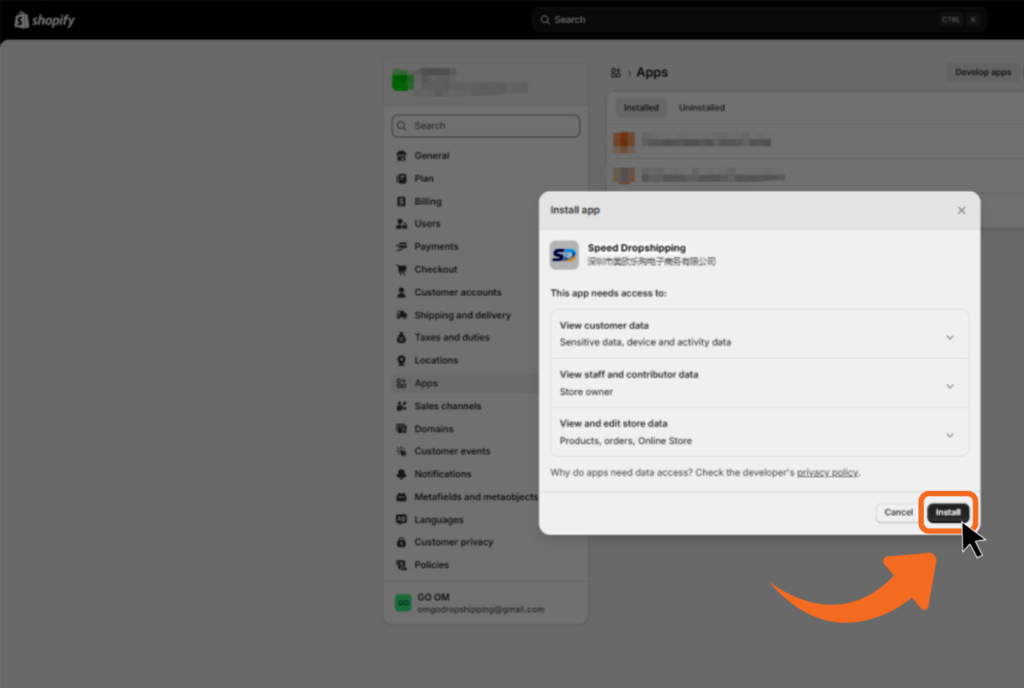
Confirm Installation in Shopify Admin
You'll be redirected to your Shopify admin.
On the app installation page,click “Install" to authorize.
Make sure you're already logged in to your Shopify store admin.
STEP4
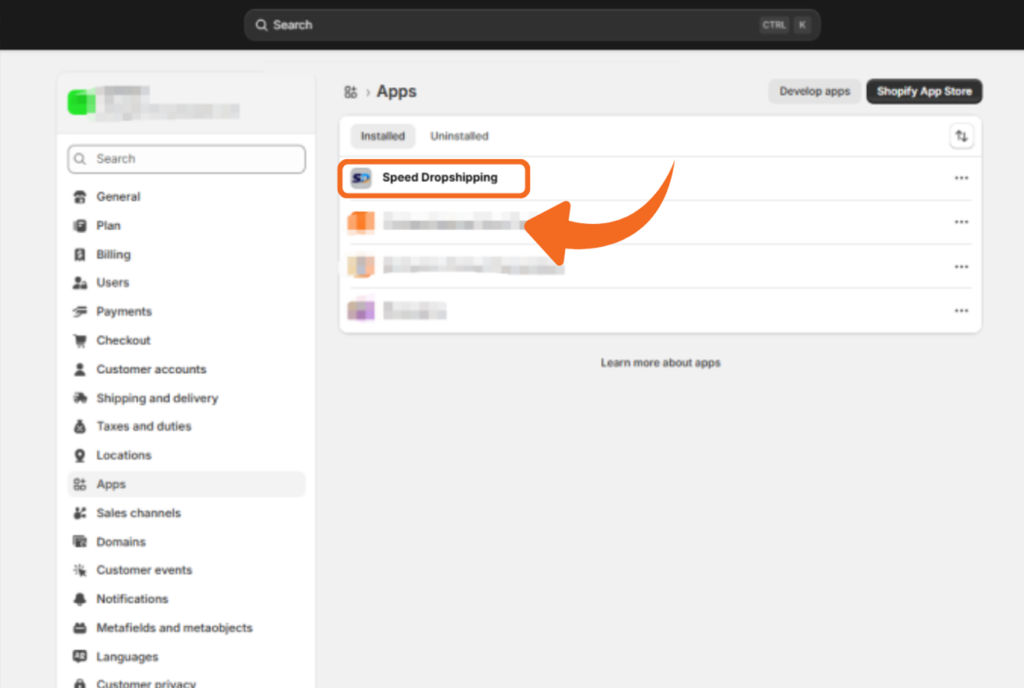
Connection Successful!
Your Shopify store is now connected to Speed Dropshipping.
You're all set! You can now import products and start fulfilling orders.